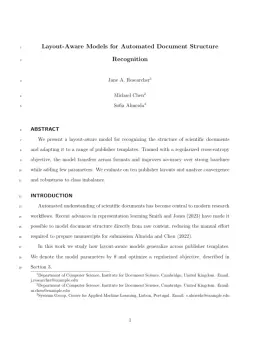
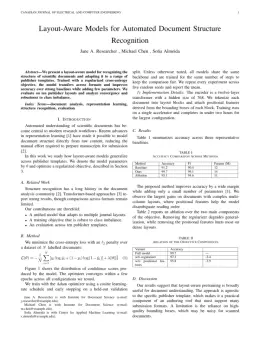
About the Journal of Cold Regions Engineering format
Journal of Cold Regions Engineering is a peer-reviewed journal published by ASCE, covering Climate change and permafrost, Cryospheric studies and observations, Smart Materials for Construction. Over its lifetime it has published 889 papers, which have received 9,305 citations.
| Publisher | ASCE |
|---|
| Reference style | Author–year (ASCE) Author–year — (Smith, 2023) in the text
Smith, A., B. Jones, and C. Lee. (2023). "A representative article title." Journal of Cold Regions Engineering, 12(3), 45–58.
Formats any DOI in Journal of Cold Regions Engineering style. No sign-up.
|
|---|
| Publishes research in | Climate change and permafrost Cryospheric studies and observations Smart Materials for Construction Arctic and Antarctic ice dynamics Icing and De-icing Technologies |
|---|
| ISSN | 0887-381X |
|---|
| Citation impact (2-yr) | 1.46 |
|---|
| h-index | 43 |
|---|
| i10-index | 273 |
|---|
| Top institutions publishing here | Cold Regions Research and Engineering Laboratory |
|---|
| Journal website | books.google.com |
|---|
| You get | A submission-ready PDF and the editable LaTeX source — ready to submit. |
|---|
Papers published in Journal of Cold Regions Engineering per year
Citation impact of Journal of Cold Regions Engineering by publication year
Citations each year’s papers have accumulated so far — the most recent years are still building up.
Most-cited papers in Journal of Cold Regions Engineering
Resilient Properties of Unbound Road Materials during Seasonal Frost Conditions
Erik Simonsen, Vincent C. Janoo, Ulf Isacsson · 1 Mar 2002
During recent decades, a considerable amount of research has been devoted to the resilient properties of unbound road materials. However, the severe effects of cold region climates on resilient behavior have been less exhaustibly investigated. In this study, the results from extensive resilient modulus laboratory tests during full freeze-thaw cycling are presented. Various coarse and…
River-Ice Ecology. I: Hydrologic, Geomorphic, and Water-Quality Aspects
Terry D. Prowse · 1 Mar 2001
River ice is an integral and important component of the flow regime in cold-regions environments. From a hydrologic perspective, it is known to produce many extremes, such as low-flows and floods, that far exceed those possible under open-water conditions. It can also significantly modify a number of other geomorphic and chemical processes that have important…
Mechanical Properties of Concrete at Low Temperature
G. C. Lee, Teng-Shih Shih, Kai-Chi Chang · 1 Mar 1988
Laboratory studies were conducted on concrete compressive and splitting tensile strength, modulus of elasticity, and Poisson's ratio and on the local bond strength between concrete and steel under both monotonic and cyclic loadings in the temperature range of 20 °C and -70°C. These properties have increased value as temperature decreases. The ratio of bond strength…
Predicting Triaxial Compressive Strength and Young’s Modulus of Frozen Sand Using Artificial Intelligence Methods
Mahzad Esmaeili‐Falak, Hooshang Katebi, Meysam Vadiati et al. · 14 Jun 2019
Mechanical properties of frozen soils (e.g., triaxial compressive strength, σtc and Young’s modulus, E) are important in tunnel, shaft, or open pit excavation projects. Although numerous attempts have been made to develop indirect methods to estimate unfrozen soils’ σtc and E values, this has not been done with frozen soils given the difficulty of preparing…
Passively Cooled Railway Embankments for Use in Permafrost Areas
Douglas J. Goering · 25 Aug 2003
Permafrost (permanently frozen ground) underlies approximately 25% of the world’s land surface. Construction of surface facilities in these regions presents unique engineering challenges due to the alteration of the thermal regime at the ground surface. Even moderate disturbance of the preexisting ground surface energy balance can induce permafrost thawing with consequent settlement and damage to…