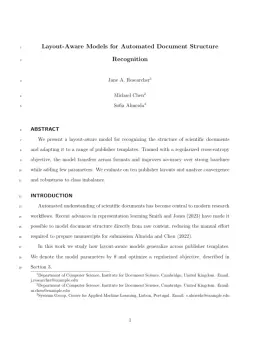
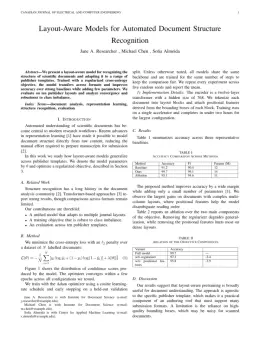
About the Journal of Structural Engineering format
Journal of Structural Engineering is a peer-reviewed journal published by ASCE, covering Structural Load-Bearing Analysis, Structural Behavior of Reinforced Concrete, Structural Engineering and Vibration Analysis. Over its lifetime it has published 11,868 papers, which have received 406,798 citations.
| Publisher | ASCE |
|---|
| Reference style | Author–year (ASCE) Author–year — (Smith, 2023) in the text
Smith, A., B. Jones, and C. Lee. (2023). "A representative article title." Journal of Structural Engineering, 12(3), 45–58.
Formats any DOI in Journal of Structural Engineering style. No sign-up.
|
|---|
| Publishes research in | Structural Load-Bearing Analysis Structural Behavior of Reinforced Concrete Structural Engineering and Vibration Analysis Seismic Performance and Analysis Structural Response to Dynamic Loads |
|---|
| ISSN | 0733-9445 |
|---|
| Citation impact (2-yr) | 3.82 |
|---|
| h-index | 219 |
|---|
| i10-index | 6,572 |
|---|
| Top institutions publishing here | ORCID |
|---|
| You get | A submission-ready PDF and the editable LaTeX source — ready to submit. |
|---|
Papers published in Journal of Structural Engineering per year
Citation impact of Journal of Structural Engineering by publication year
Citations each year’s papers have accumulated so far — the most recent years are still building up.
Most-cited papers in Journal of Structural Engineering
Theoretical Stress‐Strain Model for Confined Concrete
J.B. Mander, M. J. N. Priestley, R. Park · 1 Sep 1988
A stress‐strain model is developed for concrete subjected to uniaxial compressive loading and confined by transverse reinforcement. The concrete section may contain any general type of confining steel: either spiral or circular hoops; or rectangular hoops with or without supplementary cross ties. These cross ties can have either equal or unequal confining stresses along each…
Probabilistic Basis for 2000 SAC Federal Emergency Management Agency Steel Moment Frame Guidelines
C. Allin Cornell, Fatemeh Jalayer, Ronald O. Hamburger et al. · 1 Apr 2002
This paper presents a formal probabilistic framework for seismic design and assessment of structures and its application to steel moment-resisting frame buildings. This is the probabilistic basis for the 2000 SAC Federal Emergency Management Agency (FEMA) steel moment frame guidelines. The framework is based on realizing a performance objective expressed as the probability of exceeding…
Mechanistic Seismic Damage Model for Reinforced Concrete
Young‐Ji Park, Alfredo H.‐S. Ang · 1 Apr 1985
A model for evaluating structural damage in reinforced concrete structures under earthquake ground motions is proposed. Damage is expressed as a linear function of the maximum deformation and the effect of repeated cyclic loading. Available static (monotonic) and dynamic (cyclic) test data were analyzed to evaluate the statistics of the appropriate parameters of the proposed…
State of the Art of Structural Control
Billie F. Spencer, Satish Nagarajaiah · 20 Jun 2003
In recent years, considerable attention has been paid to research and development of structural control devices, with particular emphasis on alleviation of wind and seismic response of buildings and bridges. In both areas, serious efforts have been undertaken in the last two decades to develop the structural control concept into a workable technology. Full-scale implementation…
Anchorage Strength Models for FRP and Steel Plates Bonded to Concrete
J.F. Chen, J.G. Teng · 1 Jul 2001
External bonding of steel plates has been used to strengthen deficient reinforced-concrete structures since the 1960s. In recent years, fiber-reinforced polymer (FRP) plates have been increasingly used to replace steel plates due to their superior properties. A key issue in the design of an effective retrofitting solution using externally bonded plates is the end anchorage…