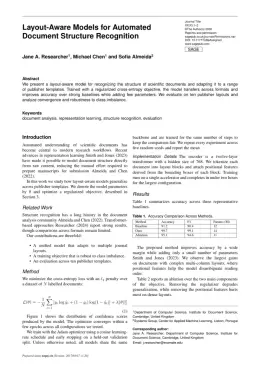
About the Particles format
Particles is a peer-reviewed journal published by MDPI, covering Particle physics theoretical and experimental studies, Quantum Chromodynamics and Particle Interactions, High-Energy Particle Collisions Research. Over its lifetime it has published 512 papers, which have received 2,542 citations.
| Publisher | MDPI |
|---|
| Reference style | Numbered (MDPI) Numbered — [1], [2] in the text
1. Smith, A.; Jones, B.; Lee, C. A Representative Article Title. Particles 2023, 12, 45–58.
Formats any DOI in Particles style. No sign-up.
|
|---|
| Publishes research in | Particle physics theoretical and experimental studies Quantum Chromodynamics and Particle Interactions High-Energy Particle Collisions Research Cosmology and Gravitation Theories Nuclear physics research studies |
|---|
| ISSN | 2571-712X |
|---|
| Citation impact (2-yr) | 1.38 |
|---|
| h-index | 22 |
|---|
| i10-index | 69 |
|---|
| Article processing charge | $1,515 |
|---|
| Open access | Yes — indexed in DOAJ |
|---|
| Top institutions publishing here | Joint Institute for Nuclear Research |
|---|
| Journal website | www.mdpi.com |
|---|
| You get | A submission-ready PDF and the editable LaTeX source — ready to submit. |
|---|
Papers published in Particles per year
Citation impact of Particles by publication year
Citations each year’s papers have accumulated so far — the most recent years are still building up.
Most-cited papers in Particles
Constraints on Nuclear Symmetry Energy Parameters
James M. Lattimer · 4 Jan 2023
A review is made of constraints on the nuclear symmetry energy parameters arising from nuclear binding energy measurements, theoretical chiral effective field predictions of neutron matter properties, the unitary gas conjecture, and measurements of neutron skin thicknesses and dipole polarizabilities. While most studies have been confined to the parameters SV and L, the important roles…
Meson Condensation
Massimo Mannarelli · 13 Sep 2019
We give a pedagogical review of the properties of the various meson condensation phases triggered by a large isospin or strangeness imbalance. We argue that these phases are extremely interesting and powerful playground for exploring the properties of hadronic matter. The reason is that they are realized in a regime in which various theoretical methods…
Emergence of Hadron Mass and Structure
Minghui Ding, Craig D. Roberts, Sebastian M. Schmidt · 11 Jan 2023
Visible matter is characterised by a single mass scale; namely, the proton mass. The proton’s existence and structure are supposed to be described by quantum chromodynamics (QCD); yet, absent Higgs boson couplings, chromodynamics is scale-invariant. Thus, if the Standard Model is truly a part of the theory of Nature, then the proton mass is an…
Reworking Zubarev’s Approach to Nonequilibrium Quantum Statistical Mechanics
F. Becattini, Matteo Buzzegoli, Eduardo Grossi · 8 Apr 2019
In this work, the nonequilibrium density operator approach introduced by Zubarev more than 50 years ago to describe quantum systems at a local thermodynamic equilibrium is revisited. This method, which was used to obtain the first “Kubo” formula of shear viscosity, is especially suitable to describe quantum effects in fluids. This feature makes it a…
Gauge Sector Dynamics in QCD
M. N. Ferreira, Joannis Papavassiliou · 15 Feb 2023
The dynamics of the QCD gauge sector give rise to non-perturbative phenomena that are crucial for the internal consistency of the theory; most notably, they account for the generation of a gluon mass through the action of the Schwinger mechanism, the taming of the Landau pole, the ensuing stabilization of the gauge coupling, and the…