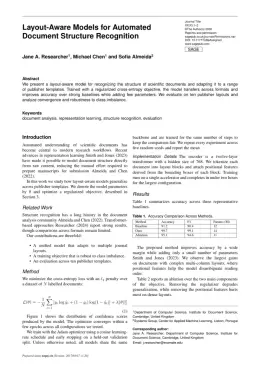
About the Environments format
Environments is a peer-reviewed journal published by MDPI, covering Heavy metals in environment, Air Quality and Health Impacts, Microplastics and Plastic Pollution. Over its lifetime it has published 2,277 papers, which have received 30,553 citations.
| Publisher | MDPI |
|---|
| Reference style | Numbered (MDPI) Numbered — [1], [2] in the text
1. Smith, A.; Jones, B.; Lee, C. A Representative Article Title. Environments 2023, 12, 45–58.
Formats any DOI in Environments style. No sign-up.
|
|---|
| Publishes research in | Heavy metals in environment Air Quality and Health Impacts Microplastics and Plastic Pollution Recycling and Waste Management Techniques Land Use and Ecosystem Services |
|---|
| ISSN | 2076-3298 |
|---|
| Citation impact (2-yr) | 3.48 |
|---|
| h-index | 73 |
|---|
| i10-index | 744 |
|---|
| Article processing charge | $1,624 |
|---|
| Open access | Yes |
|---|
| Top institutions publishing here | National Research Council |
|---|
| Journal website | www.mdpi.com |
|---|
| You get | A submission-ready PDF and the editable LaTeX source — ready to submit. |
|---|
Papers published in Environments per year
Citation impact of Environments by publication year
Citations each year’s papers have accumulated so far — the most recent years are still building up.
Most-cited papers in Environments
The Rising Threat of Atmospheric CO2: A Review on the Causes, Impacts, and Mitigation Strategies
Leonel J. R. Nunes · 14 Apr 2023
The increasing levels of carbon dioxide (CO2) in the atmosphere have become a major environmental challenge due to their contribution to global warming. The primary drivers of the increase in atmospheric CO2 concentrations are the combustion of fossil fuels, deforestation, agricultural practices, or the production of cement, which play a significant role in the increase…
Microplastic Contamination in Freshwater Environments: A Review, Focusing on Interactions with Sediments and Benthic Organisms
Arianna Bellasi, Gilberto Binda, Andrea Pozzi et al. · 12 Apr 2020
Plastic is one of the most commonly produced and used materials in the world due to its outstanding features. However, the worldwide use of plastics and poor waste management have led to negative impacts on ecosystems. Plastic degradation in the environment leads to the generation of plastic particles with a size of <5 mm, which…
Life Cycle Assessment and Water Footprint of Hydrogen Production Methods: From Conventional to Emerging Technologies
Andi Mehmeti, Athanasios Angelis-Dimakis, George Arampatzis et al. · 6 Feb 2018
A common sustainability issue, arising in production systems, is the efficient use of resources for providing goods or services. With the increased interest in a hydrogen (H2) economy, the life-cycle environmental performance of H2 production has special significance for assisting in identifying opportunities to improve environmental performance and to guide challenging decisions and select between…
Blockchain: The Evolutionary Next Step for ICT E-Agriculture
Yu‐Pin Lin, Joy R. Petway, Johnathen Anthony et al. · 18 Jul 2017
Blockchain technology, while still challenged with key limitations, is a transformative Information and Communications Technology (ICT) that has changed our notion of trust. Improved efficiencies for agricultural sustainable development has been demonstrated when ICT-enabled farms have access to knowledge banks and other digital resources. UN FAO-recommended ICT e-agricultural infrastructure components are a confluence of ICT…
Solar Sharing for Both Food and Clean Energy Production: Performance of Agrivoltaic Systems for Corn, A Typical Shade-Intolerant Crop
Takashi Sekiyama, Akira Nagashima · 4 Jun 2019
The purpose of this research was to examine the performance of agrivoltaic systems, which produce crops and electricity simultaneously, by installing stilt-mounted photovoltaic (PV) panels on farmland. As PV power stations enjoy remarkable growth, land occupation with the purpose of establishing solar farms will intensify the competition for land resources between food and clean energy…