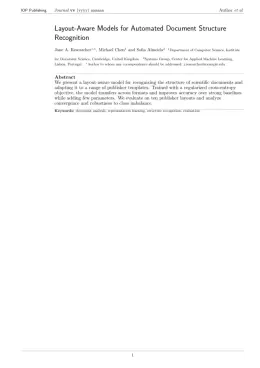
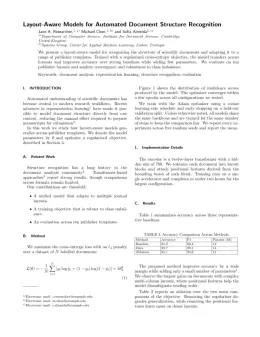
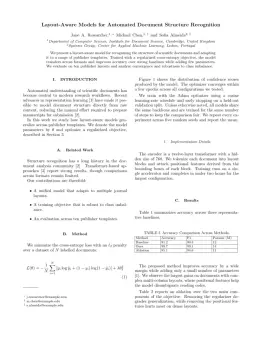
About the Functional Composites and Structures format
Functional Composites and Structures is a peer-reviewed journal published by IOP Publishing, covering Advanced Sensor and Energy Harvesting Materials, Natural Fiber Reinforced Composites, Mechanical Behavior of Composites. Over its lifetime it has published 298 papers, which have received 3,637 citations.
| Publisher | IOP Publishing |
|---|
| Reference style | Numbered (IOP) Numbered — [1], [2] in the text
[1] Smith A, Jones B and Lee C 2023 A representative article title Functional Composites and Structures 12 45–58
Formats any DOI in Functional Composites and Structures style. No sign-up.
|
|---|
| Publishes research in | Advanced Sensor and Energy Harvesting Materials Natural Fiber Reinforced Composites Mechanical Behavior of Composites Conducting polymers and applications Fiber-reinforced polymer composites |
|---|
| ISSN | 2631-6331 |
|---|
| Citation impact (2-yr) | 3.26 |
|---|
| h-index | 28 |
|---|
| i10-index | 107 |
|---|
| Top institutions publishing here | Seoul National University |
|---|
| Journal website | iopscience.iop.org |
|---|
| You get | A submission-ready PDF and the editable LaTeX source — ready to submit. |
|---|
Papers published in Functional Composites and Structures per year
Citation impact of Functional Composites and Structures by publication year
Citations each year’s papers have accumulated so far — the most recent years are still building up.
Most-cited papers in Functional Composites and Structures
Structural battery composites: a review
E. Leif, Mats Johansson, Göran Lindbergh et al. · 8 Nov 2019
Abstract This paper presents a comprehensive review of the state-of-the-art in structural battery composites research. Structural battery composites are a class of structural power composites aimed to provide mass-less energy storage for electrically powered structural systems. Structural battery composites are made from carbon fibres in a structural electrolyte matrix material. Neat carbon fibres are used…
Advancement in science and technology of carbon dot-polymer hybrid composites: a review
Sayan Ganguly, Poushali Das, Susanta Banerjee et al. · 9 May 2019
Abstract The serendipitous discovery of carbon dots has been added as a new domain of interest for materials scientists due to their extraordinary photo-physical attributes and long-term colloidal stability. This domain was more nurtured when carbon dots meet macromolecular chains. Carbon dot confined polymer matrices have diversified because of their ease of fabrication and applications…
PVDF-based ferroelectric polymers and dielectric elastomers for sensor and actuator applications: a review
Ji-Hun Bae, Seung‐Hwan Chang · 1 Mar 2019
Abstract Electroactive polymers (EAPs) are materials that respond to electrical stimulation by exhibiting significantly large strains (to a maximum of a few hundred %) and vice versa. Thanks to their unique behaviors, EAPs have been widely and increasingly applied for sensing and actuating applications. EAPs are a promising material with many attractive properties such as…
Treatments of natural fiber as reinforcement in polymer composites—a short review
Mohd Nurazzi Norizan, M.M. Harussani, H. A. Aisyah et al. · 9 May 2021
Abstract The demand for environmental awareness, preserving nature and being beneficial for societal economics has attracted the attention of many researchers and industries to examine the potential usage of natural fibers. There are a lot of beneficial natural fiber sources in a wide range of applications in the composites industry. It is worth mentioning that…
Mechanical performance evaluation of bamboo fibre reinforced polymer composites and its applications: a review
Mohd Nurazzi Norizan, Mohd Nor Faiz Norrrahim, Fatimah Athiyah Sabaruddin et al. · 1 Mar 2022
Abstract This paper reviews the mechanical performance of bamboo fibre reinforced polymer composites (BFRPs) for structural applications. Bamboo fibres are very promising reinforcements for polymer composites production due to their high aspect ratio, renewability, environmentally friendly, non-toxicity, cheap cost, non-abrasives, full biodegradability, and strong mechanical performances. Besides, bamboo has its own prospects and good potential…