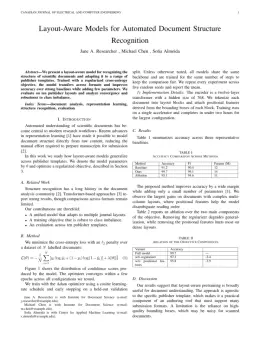
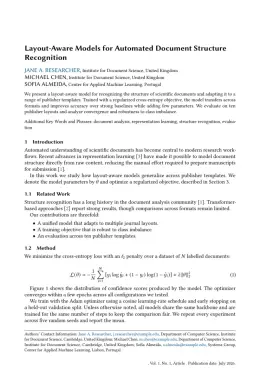
About the IEEE Transactions on Image Processing format
IEEE Transactions on Image Processing is a peer-reviewed journal published by IEEE, covering Image and Signal Denoising Methods, Advanced Vision and Imaging, Advanced Image Processing Techniques. Over its lifetime it has published 13,127 papers, which have received 1,045,218 citations.
| Publisher | IEEE |
|---|
| Reference style | Numbered (IEEE) Numbered — [1], [2] in the text
[1] A. Smith, B. Jones, and C. Lee, "A representative article title," IEEE Transactions on Image Processing, vol. 12, no. 3, pp. 45–58, 2023.
Formats any DOI in IEEE Transactions on Image Processing style. No sign-up.
|
|---|
| Abbreviation (ISO-4) | TIP |
|---|
| Publishes research in | Image and Signal Denoising Methods Advanced Vision and Imaging Advanced Image Processing Techniques Advanced Image and Video Retrieval Techniques Image Enhancement Techniques |
|---|
| ISSN | 1057-7149 |
|---|
| Citation impact (2-yr) | 7.71 |
|---|
| h-index | 394 |
|---|
| i10-index | 8,856 |
|---|
| Top institutions publishing here | Chinese Academy of Sciences |
|---|
| Journal website | ieeexplore.ieee.org |
|---|
| You get | A submission-ready PDF and the editable LaTeX source — ready to submit. |
|---|
Papers published in IEEE Transactions on Image Processing per year
Citation impact of IEEE Transactions on Image Processing by publication year
Citations each year’s papers have accumulated so far — the most recent years are still building up.
Most-cited papers in IEEE Transactions on Image Processing
Image quality assessment: from error visibility to structural similarity
Zhou Wang, Alan C. Bovik, Hamid R. Sheikh et al. · 1 Apr 2004
Objective methods for assessing perceptual image quality traditionally attempted to quantify the visibility of errors (differences) between a distorted image and a reference image using a variety of known properties of the human visual system. Under the assumption that human visual perception is highly adapted for extracting structural information from a scene, we introduce an…
Active contours without edges
Tony F. Chan, Luminita A. Vese · 1 Jan 2001
We propose a new model for active contours to detect objects in a given image, based on techniques of curve evolution, Mumford-Shah (1989) functional for segmentation and level sets. Our model can detect objects whose boundaries are not necessarily defined by the gradient. We minimize an energy which can be seen as a particular case…
Image Denoising by Sparse 3-D Transform-Domain Collaborative Filtering
Kostadin Dabov, Alessandro Foi, Vladimir Katkovnik et al. · 1 Aug 2007
We propose a novel image denoising strategy based on an enhanced sparse representation in transform domain. The enhancement of the sparsity is achieved by grouping similar 2-D image fragments (e.g., blocks) into 3-D data arrays which we call "groups." Collaborative filtering is a special procedure developed to deal with these 3-D groups. We realize it…
Beyond a Gaussian Denoiser: Residual Learning of Deep CNN for Image Denoising
Kai Zhang, Wangmeng Zuo, Yunjin Chen et al. · 1 Feb 2017
The discriminative model learning for image denoising has been recently attracting considerable attentions due to its favorable denoising performance. In this paper, we take one step forward by investigating the construction of feed-forward denoising convolutional neural networks (DnCNNs) to embrace the progress in very deep architecture, learning algorithm, and regularization method into image denoising. Specifically,…
No-Reference Image Quality Assessment in the Spatial Domain
A. Mittal, Anush K. Moorthy, Alan C. Bovik · 17 Aug 2012
We propose a natural scene statistic-based distortion-generic blind/no-reference (NR) image quality assessment (IQA) model that operates in the spatial domain. The new model, dubbed blind/referenceless image spatial quality evaluator (BRISQUE) does not compute distortion-specific features, such as ringing, blur, or blocking, but instead uses scene statistics of locally normalized luminance coefficients to quantify possible losses…