
7,261 citations
Cite
SaveGo to paper →
Elsevier
Pattern Recognition Template
Write in a clean editor, then format for Pattern Recognition in one click — DocuGuru applies the official Elsevier template with numbered references and exports a submission-ready PDF plus the editable LaTeX source. Free to start.
About the Pattern Recognition format
Pattern Recognition is a peer-reviewed journal published by Elsevier, covering Advanced Image and Video Retrieval Techniques, Face and Expression Recognition, Image Retrieval and Classification Techniques. Over its lifetime it has published 16,645 papers, which have received 740,043 citations.
| Publisher | Elsevier |
|---|---|
| Reference style | Numbered (Elsevier) Numbered — [1], [2] in the text [1] A. Smith, B. Jones, C. Lee, A representative article title, Pattern Recognition 12 (2023) 45–58.
Formats any DOI in Pattern Recognition style. No sign-up. |
| Publishes research in | Advanced Image and Video Retrieval Techniques Face and Expression Recognition Image Retrieval and Classification Techniques Medical Image Segmentation Techniques Domain Adaptation and Few-Shot Learning |
| ISSN | 0031-3203 |
| Citation impact (2-yr) | 5.95 |
| h-index | 302 |
| i10-index | 9,708 |
| Article processing charge | $2,710 |
| Top institutions publishing here | Chinese Academy of Sciences |
| Journal website | www.journals.elsevier.com |
| You get | A submission-ready PDF and the editable LaTeX source — ready to submit. |
Papers published in Pattern Recognition per year
Citation impact of Pattern Recognition by publication year
Citations each year’s papers have accumulated so far — the most recent years are still building up.
Most-cited papers in Pattern Recognition
6,819 citations
Cite
SaveGo to paper →
6,290 citations
Cite
SaveGo to paper →
4,378 citations
Cite
SaveGo to paper →
3,711 citations
Cite
SaveGo to paper →
Related journal templates
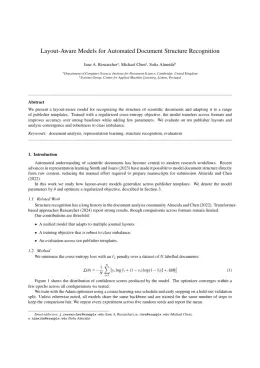
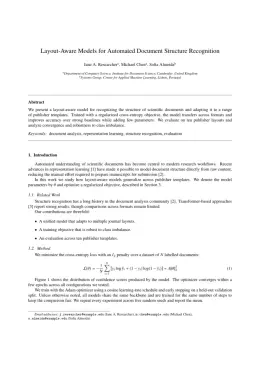

Pattern Recognition template — frequently asked questions
How do I write a paper in the Pattern Recognition format?
In DocuGuru you write your manuscript in a normal editor — no LaTeX setup required — and select the Pattern Recognition template. When you export, DocuGuru compiles the paper into the official Elsevier format and hands you a submission-ready PDF along with the editable LaTeX source.
What reference style does Pattern Recognition use?
Pattern Recognition uses Numbered (Elsevier) references, shown as numbered [1], [2] markers in the text. DocuGuru formats every in-text citation and the reference list in this exact style automatically. A reference appears like this: [1] A. Smith, B. Jones, C. Lee, A representative article title, Pattern Recognition 12 (2023) 45–58.
Do I need to know LaTeX to submit to Pattern Recognition?
No. DocuGuru generates the elsarticle LaTeX class and compiles the PDF for you in the background, so you get a Elsevier-ready Pattern Recognition document without writing any LaTeX. If you do want it, the LaTeX source is included in the export.
Can I import an existing draft into the Pattern Recognition template?
Yes. Paste or upload your current manuscript — Word, LaTeX, Markdown, or plain text — and DocuGuru reflows it into the Pattern Recognition format with correct headings, figures, tables, and numbered citations.
What is Pattern Recognition?
Elsevier journal (elsarticle). It is a multidisciplinary journal, published by Elsevier.
Can I export a submission-ready Pattern Recognition PDF?
Yes — DocuGuru produces a PDF built with the official Pattern Recognition template (the elsarticle class) that is ready to submit to Elsevier, together with the matching LaTeX source files.
How much does the Pattern Recognition template cost?
You can start writing in the Pattern Recognition template for free. Exporting the final submission-ready Pattern Recognition PDF and LaTeX source is part of DocuGuru's paid plans — see the app for current pricing.