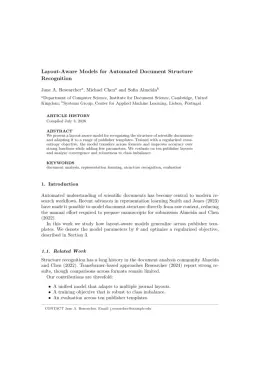
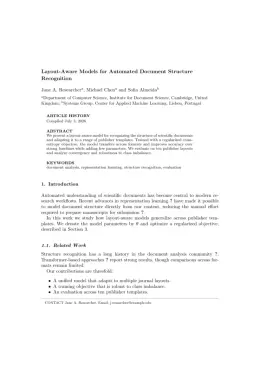
About the Virtual and Physical Prototyping format
Virtual and Physical Prototyping is a peer-reviewed journal published by Taylor & Francis, covering Additive Manufacturing and 3D Printing Technologies, Additive Manufacturing Materials and Processes, High Entropy Alloys Studies. Over its lifetime it has published 1,291 papers, which have received 39,871 citations.
| Publisher | Taylor & Francis |
|---|
| Reference style | Author–year (Chicago, T&F) Author–year — (Smith, 2023) in the text
Smith, Ada, Ben Jones, and Cara Lee. 2023. "A Representative Article Title." Virtual and Physical Prototyping 12 (3): 45–58.
Formats any DOI in Virtual and Physical Prototyping style. No sign-up.
|
|---|
| Publishes research in | Additive Manufacturing and 3D Printing Technologies Additive Manufacturing Materials and Processes High Entropy Alloys Studies Manufacturing Process and Optimization Cellular and Composite Structures |
|---|
| ISSN | 1745-2759 |
|---|
| Citation impact (2-yr) | 10.3 |
|---|
| h-index | 92 |
|---|
| i10-index | 725 |
|---|
| Article processing charge | $2,070 |
|---|
| Open access | Yes — indexed in DOAJ |
|---|
| Top institutions publishing here | Nanyang Technological University |
|---|
| Journal website | www.tandfonline.com |
|---|
| You get | A submission-ready PDF and the editable LaTeX source — ready to submit. |
|---|
Papers published in Virtual and Physical Prototyping per year
Citation impact of Virtual and Physical Prototyping by publication year
Citations each year’s papers have accumulated so far — the most recent years are still building up.
Most-cited papers in Virtual and Physical Prototyping
Additive manufacturing of concrete in construction: potentials and challenges of 3D concrete printing
Freek Bos, Rob Wolfs, Zeeshan Ahmed et al. · 2 Jul 2016
Additive manufacturing is gaining ground in the construction industry. The potential to improve on current construction methods is significant. One of such methods being explored currently, both in academia and in construction practice, is the additive manufacturing of concrete (AMoC). Albeit a steadily growing number of researchers and private enterprises active in this field, AMoC…
3D printing of smart materials: A review on recent progresses in 4D printing
Zhong Xun Khoo, Joanne Ee Mei Teoh, Yong Liu et al. · 3 Jul 2015
Additive manufacturing (AM), commonly known as three-dimensional (3D) printing or rapid prototyping, has been introduced since the late 1980s. Although a considerable amount of progress has been made in this field, there is still a lot of research work to be done in order to overcome the various challenges remained. Recently, one of the actively…
3D printing trends in building and construction industry: a review
Yi Wei Daniel Tay, Biranchi Panda, Suvash Chandra Paul et al. · 14 May 2017
Three-dimensional (3D) printing (also known as additive manufacturing) is an advanced manufacturing process that can produce complex shape geometries automatically from a 3D computer-aided design model without any tooling, dies and fixtures. This automated manufacturing process has been applied to many diverse fields of industries today due to significant advantages of creating functional prototypes in…
3D printing in aerospace and its long-term sustainability
Sunil C. Joshi, Abdullah A. Sheikh · 2 Oct 2015
Astonishingly 3D printing has excited the world of aerospace. This paper takes stock of the popular 3D printing processes in aerospace. Reasons for their popularity over the traditional manufacturing processes are dwelled upon. Materials developed specially for aerospace applications along with their characteristics are discussed. Ongoing activities related to 3D printing at various companies and…
Multiple material additive manufacturing – Part 1: a review
Mohammad Vaezi, Srisit Chianrabutra, Brian Mellor et al. · 1 Mar 2013
Interest in multifunctional structures made automatically from multiple materials poses a challenge for today's additive manufacturing (AM) technologies; however the ability to process multiple materials is a fundamental advantage to some AM technologies. The capability to fabricate multiple material parts can improve AM technologies by either optimising the mechanical properties of the parts or providing…