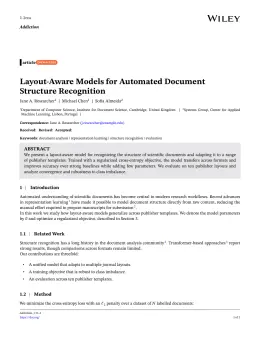
About the Age and Ageing format
Age and Ageing is a peer-reviewed journal published by Oxford University Press, covering Frailty in Older Adults, Geriatric Care and Nursing Homes, Dementia and Cognitive Impairment Research. Over its lifetime it has published 16,320 papers, which have received 390,296 citations.
| Publisher | Oxford University Press |
|---|
| Reference style | Numbered (OUP) Numbered — [1], [2] in the text
[1] A. Smith, B. Jones, and C. Lee, A representative article title, Age and Ageing 12 (2023) 45–58.
Formats any DOI in the closest standard style — Age and Ageing has no published style definition, so this is an approximation. No sign-up.
|
|---|
| Publishes research in | Frailty in Older Adults Geriatric Care and Nursing Homes Dementia and Cognitive Impairment Research Nutrition and Health in Aging Aging and Gerontology Research |
|---|
| ISSN | 0002-0729 |
|---|
| Citation impact (2-yr) | 2.42 |
|---|
| h-index | 231 |
|---|
| i10-index | 4,766 |
|---|
| Article processing charge | $3,034 |
|---|
| Top institutions publishing here | Trinity College Dublin |
|---|
| Journal website | ageing.oxfordjournals.org |
|---|
| You get | A submission-ready PDF and the editable LaTeX source — ready to submit. |
|---|
Papers published in Age and Ageing per year
Citation impact of Age and Ageing by publication year
Citations each year’s papers have accumulated so far — the most recent years are still building up.
Most-cited papers in Age and Ageing
Sarcopenia: revised European consensus on definition and diagnosis
Alfonso J. Cruz‐Jentoft, Gülistan Bahat, Jürgen M. Bauer et al. · 24 Sep 2018
Background: in 2010, the European Working Group on Sarcopenia in Older People (EWGSOP) published a sarcopenia definition that aimed to foster advances in identifying and caring for people with sarcopenia. In early 2018, the Working Group met again (EWGSOP2) to update the original definition in order to reflect scientific and clinical evidence that has built…
Sarcopenia: European consensus on definition and diagnosis
Alfonso J. Cruz‐Jentoft, Jean‐Pierre Baeyens, Jürgen M. Bauer et al. · 13 Apr 2010
The European Working Group on Sarcopenia in Older People (EWGSOP) developed a practical clinical definition and consensus diagnostic criteria for age-related sarcopenia. EWGSOP included representatives from four participant organisations, i.e. the European Geriatric Medicine Society, the European Society for Clinical Nutrition and Metabolism, the International Association of Gerontology and Geriatrics-European Region and the International Association…
Falls in older people: epidemiology, risk factors and strategies for prevention
Laurence Z. Rubenstein · 22 Aug 2006
Falls are a common and often devastating problem among older people, causing a tremendous amount of morbidity, mortality and use of health care services including premature nursing home admissions. Most of these falls are associated with one or more identifiable risk factors (e.g. weakness, unsteady gait, confusion and certain medications), and research has shown that…
A review of the measurement of grip strength in clinical and epidemiological studies: towards a standardised approach
Helen C. Roberts, Hayley Denison, Helen J. Martin et al. · 31 May 2011
BACKGROUND: the European Working Group on Sarcopenia in Older People has developed a clinical definition of sarcopenia based on low muscle mass and reduced muscle function (strength or performance). Grip strength is recommended as a good simple measure of muscle strength when 'measured in standard conditions'. However, standard conditions remain to be defined. METHODS: a…
Sarcopenia: revised European consensus on definition and diagnosis
Alfonso J. Cruz‐Jentoft, Gϋlistan Bahat, Jϋrgen Bauer et al. · 13 May 2019