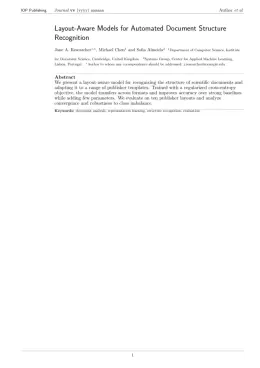
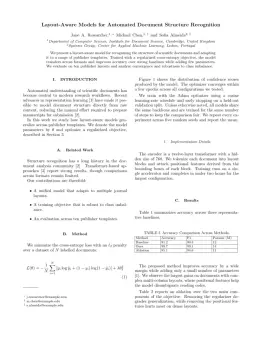
About the Materials Futures format
Materials Futures is a peer-reviewed journal published by IOP Publishing, covering Advanced Battery Materials and Technologies, Advancements in Battery Materials, Perovskite Materials and Applications. Over its lifetime it has published 258 papers, which have received 4,633 citations.
| Publisher | IOP Publishing |
|---|
| Reference style | Numbered (IOP) Numbered — [1], [2] in the text
[1] Smith A, Jones B and Lee C 2023 A representative article title Materials Futures 12 45–58
Formats any DOI in Materials Futures style. No sign-up.
|
|---|
| Publishes research in | Advanced Battery Materials and Technologies Advancements in Battery Materials Perovskite Materials and Applications Advanced battery technologies research Electrocatalysts for Energy Conversion |
|---|
| ISSN | 2752-5724 |
|---|
| Citation impact (2-yr) | 8.28 |
|---|
| h-index | 39 |
|---|
| i10-index | 138 |
|---|
| Open access | Yes — indexed in DOAJ |
|---|
| Top institutions publishing here | Chinese Academy of Sciences |
|---|
| Journal website | iopscience.iop.org |
|---|
| You get | A submission-ready PDF and the editable LaTeX source — ready to submit. |
|---|
Papers published in Materials Futures per year
Citation impact of Materials Futures by publication year
Citations each year’s papers have accumulated so far — the most recent years are still building up.
Most-cited papers in Materials Futures
Deep potentials for materials science
Tongqi Wen, Linfeng Zhang, Han Wang et al. · 19 Apr 2022
Abstract To fill the gap between accurate (and expensive) ab initio calculations and efficient atomistic simulations based on empirical interatomic potentials, a new class of descriptions of atomic interactions has emerged and been widely applied; i.e. machine learning potentials (MLPs). One recently developed type of MLP is the deep potential (DP) method. In this review,…
Advantages and challenges of self-assembled monolayer as a hole-selective contact for perovskite solar cells
Songran Wang, Huanxin Guo, Yongzhen Wu · 13 Feb 2023
Abstract Charge-transporting layers (CTLs) are important in determining the performance and stability of perovskite solar cells (PSCs). Recently, there has been considerable use of self-assembled monolayers (SAMs) as charge-selective contacts, especially for hole-selective SAMs in inverted PSCs as well as perovskite involving tandem solar cells. The SAM-based charge-selective contact shows many advantages over traditional thin-film…
Interface and surface engineering of black phosphorus: a review for optoelectronic and photonic applications
Haoran Mu, Wenzhi Yu, Jian Yuan et al. · 11 Jan 2022
Abstract Since being rediscovered as an emerging 2D material, black phosphorus (BP), with an extraordinary energy structure and unusually strong interlayer interactions, offers new opportunities for optoelectronics and photonics. However, due to the thin atomic body and the ease of degradation with water and oxides, BP is highly sensitive to the surrounding environment. Therefore, high-quality…
P2-type layered high-entropy oxides as sodium-ion cathode materials
Junbo Wang, Sören L. Dreyer, Kai Wang et al. · 18 Aug 2022
Abstract P2-type layered oxides with the general Na-deficient composition Na x TMO 2 ( x < 1, TM: transition metal) are a promising class of cathode materials for sodium-ion batteries. The open Na + transport pathways present in the structure lead to low diffusion barriers and enable high charge/discharge rates. However, a phase transition from…
Microstructure and long-term stability of Ni–YSZ anode supported fuel cells: a review
Sajad Vafaeenezhad, Amir Reza Hanifi, M. Laguna et al. · 11 Aug 2022
Abstract Nickel–yttria stabilized zirconia (Ni–YSZ) cermet is the most commonly used anode in solid oxide fuel cells (SOFCs). The current article provides an insight into parameters which affect cell performance and stability by reviewing and discussing the related publications in this field. Understanding the parameters which affect the microstructure of Ni–YSZ such as grain size…