
161 citations
Cite
SaveGo to paper →
Elsevier
Screening Template
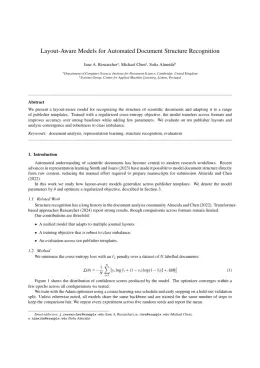
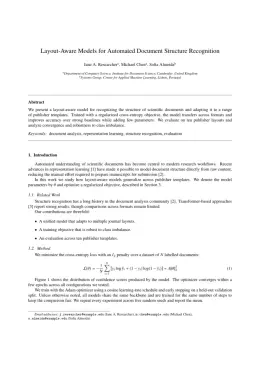
Write in a clean editor, then format for Screening in one click — DocuGuru applies the official Elsevier template with numbered references and exports a submission-ready PDF plus the editable LaTeX source. Free to start.
About the Screening format
Screening is a peer-reviewed journal published by Elsevier, covering Metabolism and Genetic Disorders, Neonatal Health and Biochemistry, Neonatal Respiratory Health Research.
| Publisher | Elsevier |
|---|---|
| Reference style | Numbered (Elsevier) Numbered — [1], [2] in the text [1] A. Smith, B. Jones, C. Lee, A representative article title, Screening 12 (2023) 45–58.
Formats any DOI in Screening style. No sign-up. |
| Publishes research in | Metabolism and Genetic Disorders Neonatal Health and Biochemistry Neonatal Respiratory Health Research Thyroid Disorders and Treatments Cystic Fibrosis Research Advances |
| ISSN | 0925-6164 |
| h-index | 20 |
| i10-index | 45 |
| Total citations | 1,489 |
| Top institutions publishing here | Hokkaido Institute of Public Health |
| You get | A submission-ready PDF and the editable LaTeX source — ready to submit. |
Papers published in Screening per year
Citation impact of Screening by publication year
Citations each year’s papers have accumulated so far — the most recent years are still building up.
Most-cited papers in Screening
105 citations
Cite
SaveGo to paper →
70 citations
Cite
SaveGo to paper →
67 citations
Cite
SaveGo to paper →
49 citations
Cite
SaveGo to paper →
Related journal templates
Screening template — frequently asked questions
How do I write a paper in the Screening format?
In DocuGuru you write your manuscript in a normal editor — no LaTeX setup required — and select the Screening template. When you export, DocuGuru compiles the paper into the official Elsevier format and hands you a submission-ready PDF along with the editable LaTeX source.
What reference style does Screening use?
Screening uses Numbered (Elsevier) references, shown as numbered [1], [2] markers in the text. DocuGuru formats every in-text citation and the reference list in this exact style automatically. A reference appears like this: [1] A. Smith, B. Jones, C. Lee, A representative article title, Screening 12 (2023) 45–58.
Do I need to know LaTeX to submit to Screening?
No. DocuGuru generates the elsarticle LaTeX class and compiles the PDF for you in the background, so you get a Elsevier-ready Screening document without writing any LaTeX. If you do want it, the LaTeX source is included in the export.
Can I import an existing draft into the Screening template?
Yes. Paste or upload your current manuscript — Word, LaTeX, Markdown, or plain text — and DocuGuru reflows it into the Screening format with correct headings, figures, tables, and numbered citations.
Who publishes Screening?
Screening is a multidisciplinary journal published by Elsevier. DocuGuru's Screening template matches Elsevier's official submission format.
Can I export a submission-ready Screening PDF?
Yes — DocuGuru produces a PDF built with the official Screening template (the elsarticle class) that is ready to submit to Elsevier, together with the matching LaTeX source files.
How much does the Screening template cost?
You can start writing in the Screening template for free. Exporting the final submission-ready Screening PDF and LaTeX source is part of DocuGuru's paid plans — see the app for current pricing.